
Table of Contents
- Introduction
- What is the Shopify Tinker App?
- What are the Features of the Tinker App?
- What are the Benefits of the Tinker App?
- How to Download the Shopify Tinker App?
- How to Manage Your Tinker Account?
- Tinker App AI Tools
- How to Create an Artifact in Tinker?
- How to Delete Your Tinker Account?
- Conclusion
Creating professional-quality visuals for your brand or business used to require significant time, money, and technical skill. A single product photoshoot could cost hundreds of dollars. Designing a logo meant hiring a graphic designer or spending hours learning design software. And navigating the overwhelming landscape of AI tools, each with its own subscription, interface, and learning curve, made it even harder for everyday people to take their ideas seriously.
Shopify noticed this gap and set out to fix it. The result is Tinker, a free mobile app that brings the power of AI creativity directly to your smartphone, no expertise needed, no juggling multiple subscriptions, and no blank prompt boxes leaving you stuck. Whether you are a first-time entrepreneur with a product idea or an established seller who needs faster content creation, Tinker is designed to meet you exactly where you are.
This complete guide covers everything you need to know about the Shopify Tinker app, what it is, what it does, how to download and use it, and how to get the most out of its AI tools.
Key Takeaways
- Shopify’s Tinker app is a free mobile app that brings together 100+ specialized AI creative tools in one place, available on iOS and Android.
- Tinker requires no prompt expertise, tools are organized by outcome, and the app handles complex prompting in the background on your behalf.
- The app pulls AI models from major providers like OpenAI, Google, and Anthropic into a single guided experience, automatically updated as new tools launch.
- Everything you create lives in one environment, giving the app context to maintain visual and brand continuity across your creations.
- Tinker is free to download and use, with no subscriptions required, and is open to anyone aged 13 or older.
- You can sign in with an existing Shopify account or create a new one using your email.
What is the Shopify Tinker App?
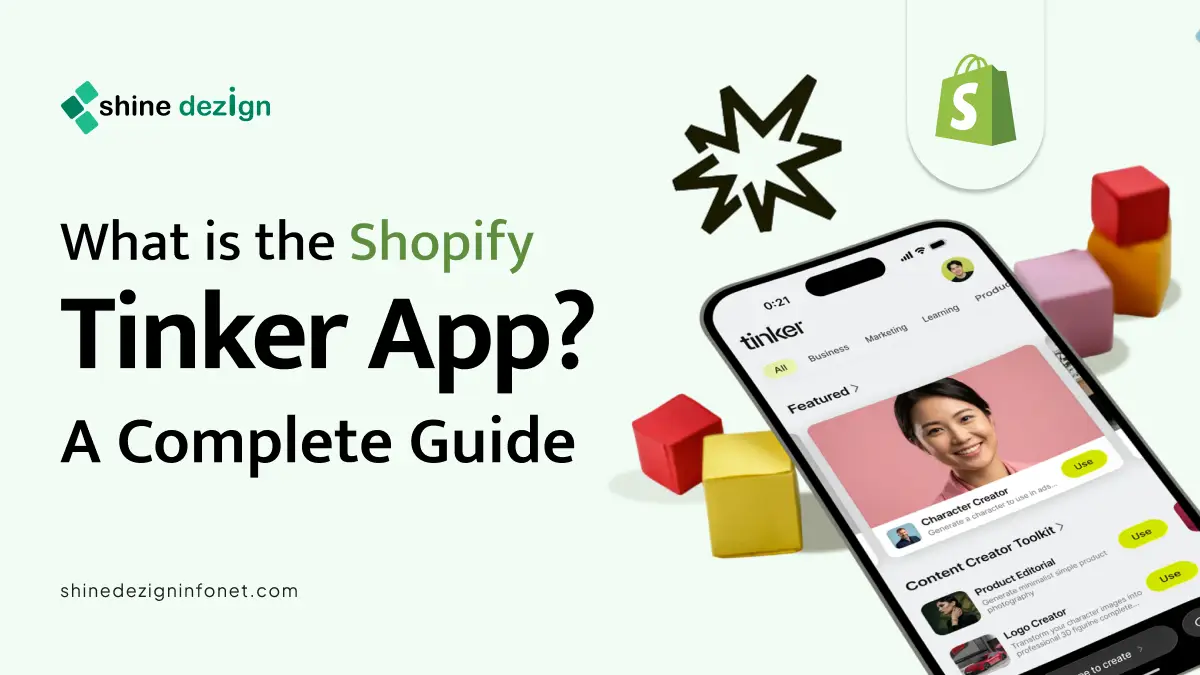
Tinker is a free mobile app created by Shopify. According to Shopify Tinker brings together more than 100 specialized AI tools for creating images, videos, logos, product photography, and much more, all within a single, easy-to-navigate app.
The core philosophy behind Tinker is simple: the promise of AI unlocking creativity is everywhere, but the path to using it is still overwhelming for most people. Too many tools to choose from. Subscription costs adding up. Blank prompt boxes and no idea what to type. Shopify built Tinker to remove all of that friction.
As Rousseau Kazi, Director of Product at Shopify, put it in the official launch announcement: “The magic of AI is out there, but most people don’t know which tool to use or what to ask for. We built Tinker to remove that friction.”
Tinker was first previewed at Shopify’s Winter Editions 2026 event before being opened up to the public. It is available to anyone aged 13 or older, on both iOS and Android devices. And unlike most AI creative platforms, it is completely free, no hidden subscriptions, no paywalls for core features.
In simplest terms, Tinker is a place to play. A place to start. A space where ideas can become reality before you’ve committed a single dollar.
If you’re planning to build custom features, AI integrations, or a fully tailored Shopify application like Tinker, working with experienced Shopify app developers can save time and improve scalability. Explore our Shopify App Development Services to create powerful, user-focused Shopify apps for your business.
What are the Features of the Tinker App?
Tinker is packed with thoughtful features that make it stand out from typical AI tools. Here is a look at what makes the app so powerful.
Outcome-Organized Tools: When you open Tinker, you are not greeted with a blank box asking, “What do you want to make?” Instead, tools are organized by what you want to create, product photography, logo creation, social media videos, 360-degree product views, and more. Each tool shows examples, so you know exactly what it produces and how to use it before you even begin. This removes the guesswork entirely and makes the app accessible even to complete beginners.
Simplified, Guided Prompting: One of the most intimidating parts of using AI tools is writing the right prompt. Tinker eliminates this problem. As Shopify explains, the team writes very long, quality-optimized prompts behind the scenes and boils them down to a few simple inputs for you to fill in. You describe what you need in plain language, and Tinker handles the complex prompting in the background. The result is consistently high-quality output without any technical knowledge required.
Multi-Model Integration: Tinker doesn’t rely on a single AI model. It brings together AI models from providers like OpenAI, Google, Anthropic, and others, all packaged within the same guided experience and automatically updated as new tools launch. Instead of learning a new interface every time a powerful new model is released, you simply open Tinker and it is already there, ready to use.
Brand Continuity Across Creations: Everything you create lives in one unified environment; Tinker uses context from your previous creations to maintain visual and brand continuity across everything you build. This is something you would lose entirely if you were working across disconnected tools. Your aesthetic carries over, your brand colours stay consistent, and your visual identity remains intact from one project to the next.
Batch Creation: Tinker lets you kick off multiple creations at once, so you can queue up a batch of product shots or videos and review the results whenever you are ready. This turns idle time, a commute, a lunch break, into productive creation time.
Export and Sharing: Once you have created something you love, you can share your creations directly from the app to social media or export them to your device to use anywhere you like.
What are the Benefits of the Tinker App?
Tinker delivers real, practical value to entrepreneurs, small business owners, content creators, and anyone with a creative idea. Here are the key benefits.
It’s Completely Free: Perhaps the biggest benefit is the price: zero. Tinker is completely free to download and use. All the creative tools and AI features are available at no cost. At a time when AI subscriptions can easily run $20–$100 per month per tool, this is a game-changer, particularly for early-stage entrepreneurs who need to be careful about overhead.
No Prompt Expertise Required: Most AI tools reward users who already know how to write detailed, technical prompts. Tinker is built for people who don’t. By abstracting the complexity away and providing guided inputs, Tinker makes professional AI output accessible to absolutely everyone.
Saves Time and Money: Consider the alternative for a small product brand: hiring a photographer for studio-quality product shots can cost $50 or more per image in the US. With Tinker, that same result can be achieved in minutes. Real Tinker user Lena Jiao, founder of jewellery brand Loire, generated over 150 images for her website in her first month using the app, images that would have cost thousands of dollars through traditional photography.
Accelerates the Path from Idea to Reality: Tinker is designed to give people momentum. The time between having an idea and actually doing something with it shrinks dramatically when creation becomes this accessible. You can go from a rough concept to a full brand identity in an afternoon and actually see what your idea could look like in the world before committing any resources.
Builds Creative Confidence: There is an often-overlooked benefit to having a low-stakes creative playground; learning. Tinker is designed as a place to play, experiment, and build confidence with AI tools. As Rousseau Kazi noted in Shopify’s launch announcement, through play, you find the creative limits of technology without any cost or consequence; and once you understand those limits, you feel confident using these tools when it truly matters.
Handles Text Accuracy for Product-Based Businesses: This one is niche but significant. Normal generative AI tools often struggle to accurately reproduce text in images, a major problem for product-based businesses where label text (such as nutritional information on supplements) must be precise. Tinker’s specialized prompts address this, making it practical for brands where accuracy on product packaging is non-negotiable.
How to Download the Shopify Tinker App?
Downloading Tinker is fast and straightforward. Here’s how to get started.
Step 1: Check Your Device Compatibility
Tinker is available on iOS devices running iOS 15.1 or later, and Android devices running Android 7 or later. Shopify recommends using the latest version of your operating system for the best experience.
Step 2: Visit the App Store or Google Play
For iPhone and iPad users, go to the Apple App Store and search for “Tinker” or visit: apps.apple.com/app/6758963519
For Android users, go to Google Play and search for “Tinker” or visit: play.google.com/store/apps/details?id=com.shopify.tinker
You can also go directly to app.tinker.com/download-app to be redirected to the correct store for your device.
Step 3: Install the App
Tap “Get” on iOS or “Install” on Android. The app is lightweight and will download quickly on any standard internet connection.
Step 4: Open Tinker
Once installed, open the app from your home screen. You will be guided through a brief onboarding experience that shows you how the tool categories work and what kinds of creations are possible.
How to Manage Your Tinker Account?
Creating Your Account
After downloading the app, you will be prompted to sign in or create an account. You can either:
1) Sign in with your existing Shopify account, which automatically links your Tinker activity to your Shopify identity, or
2) Create a brand-new account using your email address.
Updating Your Profile
Once logged in, you can manage your account settings from within the app. This includes updating your email address, changing your password, and reviewing your account preferences. Your account ties all of your creations together, enabling Tinker to maintain brand and visual continuity across your projects.
Privacy and Data
Your privacy is taken seriously. Your projects and data are stored securely, and Tinker does not share your personal information with third parties without your consent. You can review the full Privacy Policy at tinker.com/privacy.
Sharing Your Creations
You can share your creations directly from your account to social media platforms or export them to your device for use anywhere. Every artifact you create is stored in your account so you can revisit, remix, and iterate on your work overtime.
Tinker App AI Tools
| Image | Video | Text |
|---|---|---|
|
|
|
How to Create Artifact in Tinker?
In Tinker, an “artifact” refers to any piece of content you generate using one of the app’s AI tools, whether that’s an image, a video, a logo, or any other creative output. Here is a step-by-step guide to creating your first artifact.
Step 1: Open the App and Browse the Tools
When you open Tinker, you will see the tool library organized by outcome. Scroll through the categories to find the type of content you want to create. Each tool displays examples of what it produces, so you can see exactly what you are going to get before you start.
Step 2: Select Your Tool
Tap on the tool you want to use. For example, if you want professional product photos, tap “Product Studio Shot.” If you want a social media video ad, tap “Social Media Ad Generator.”
Step 3: Provide Your Inputs
Each tool presents you with a small number of simple inputs, usually a combination of uploading an image and typing a brief description in plain language. You do not need to write complex prompts. Tinker’s system does the heavy lifting, translating your simple inputs into detailed, quality-optimized instructions for the underlying AI model.
Step 4: Generate Your Artifact
Tap the generate button and wait a few moments while Tinker processes your request. You can even kick off multiple creations at the same time if you want to work through a batch of content efficiently.
Step 5: Review and Iterate
Once your artifact is generated, review it within the app. If you want adjustments, you can provide feedback and regenerate. Users have reported getting the result they wanted on the first or second try in most cases, thanks to Tinker’s guided prompting system.
Step 6: Save or Share
When you are satisfied with your artifact, you can save it to your device or share it directly to social media from within the app.
How to Delete Your Tinker Account?
If you decide Tinker is no longer for you, you can delete your account. Here’s the general process:
Step 1: Open the App Settings
Go to your profile or account settings within the Tinker app. This is typically accessible via a profile icon or menu in the top corner of the home screen.
Step 2: Navigate to Account Management
Look for an “Account” or “Privacy” section within the settings menu.
Step 3: Request Account Deletion
Tinker, as a Shopify product, follows responsible data handling practices. You should find an option to delete your account within the settings, or you may be directed to contact support via the app or through tinker.com to initiate the deletion process. Note that deleting your account will remove your stored creations and personal data from the platform.
Step 4: Confirm Deletion
Follow any confirmation steps prompted by the app to complete the deletion. Once confirmed, your account and associated data will be scheduled for removal in accordance with Tinker’s Privacy Policy.
If you have a linked Shopify account and only want to remove Tinker access (not your Shopify account), look for an option to disconnect or unlink the apps rather than deleting the account entirely.
Conclusion
Shopify’s Tinker app represents a genuinely exciting shift in how AI creativity tools are delivered to everyday users. Instead of requiring expertise, subscriptions, or hours of trial and error across dozens of different platforms, Tinker puts over 100 AI-powered creative tools in the palm of your hand, completely free and organized around what you actually want to make.
Whether you are a solo founder trying to build a brand on a shoestring budget, a product seller who needs studio-quality photography without hiring a photographer, or simply someone with an idea you want to bring to life, Tinker is built for you. The app’s commitment to simplicity, brand continuity, and accessibility makes it one of the most practical AI tools launched in 2026.